

I recently ran into a breaking UI error in WooPayments that completely stops the “Transactions / Payments” page from loading. The dashboard throws the following error: “Oops, something went wrong… error retrieving account tags / disputes”.
My site’s plugins and themes are all running the latest versions. To isolate the issue, I disabled all other plugins, leaving only WooCommerce and WooPayments active. The error first appeared in WooPayments version 10.9.0, and rolling back to versions 10.8.0 or 10.7.1 didn’t fix it. Interestingly, the plugin’s “Settings” page opens without any issues—the crash only happens when loading the transactions list or the main dashboard.
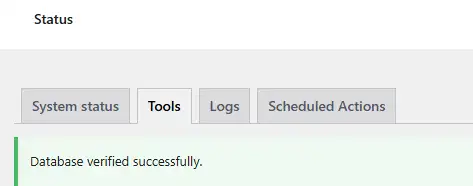
At first, I suspected a currency mapping conflict, so I disabled the multi-currency feature. No luck. Next, I thought it might be a caching issue. I went to “WooCommerce > Status > Tools”, cleared the WooCommerce analytics cache, reimported historical data, updated the database, and verified the core database tables. Still, the error persisted.

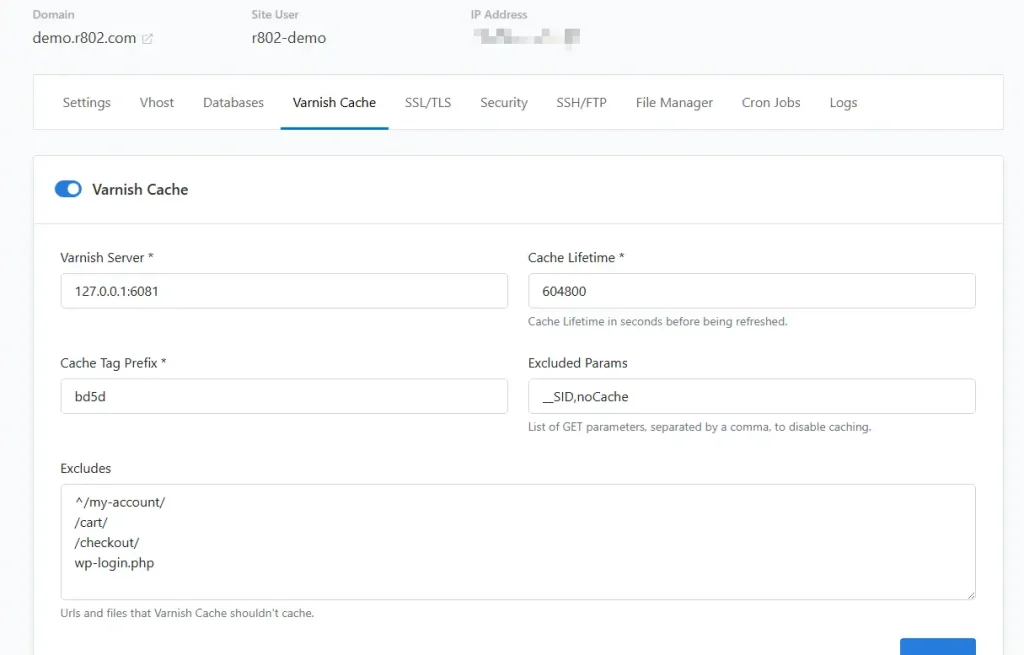
Since my server runs on CloudPanel, I tried purging the Varnish cache through the control panel and restarting the Varnish service, but that didn’t help either.
I traced the issue through the console API logs and found the following stack trace:
TypeError: Cannot read properties of undefined (reading 'filter')
at pf (https://demo.r802.com/wp-content/plugins/woocommerce-payments/dist/index.js?ver=10.9.0:2:607792)
at Suspense
at Oe (https://demo.r802.com/wp-content/plugins/woocommerce/assets/client/admin/app/index.js?ver=t6b84d63aa250816182c:2:185538)
at div
at div
at me (https://demo.r802.com/wp-content/plugins/woocommerce/assets/client/admin/app/index.js?ver=t6b84d63aa250816182c:2:179884)
at div
at Rac (https://demo.r802.com/wp-includes/js/dist/components.min.js?ver=9cfefe13f08880193a28:9:124282)
at FC (https://demo.r802.com/wp-includes/js/dist/components.min.js?ver=9cfefe13f08880193a28:9:125036)
at w (https://demo.r802.com/wp-content/plugins/woocommerce/assets/client/admin/admin-layout/index.js?ver=90aa6a6ed50d37f62db2:1:1981)
2026-06-24T16:32:22+00:00 API REQUEST: GET https://public-api.wordpress.com/wpcom/v2/sites/%s/wcpay/disputes?test_mode=0&page=1&pagesize=50&sort=created&direction=desc&limit=100&search%5B0%5D=needs_response&search%5B1%5D=warning_needs_response
2026-06-24T16:32:22+00:00 API REQUEST: GET https://public-api.wordpress.com/wpcom/v2/sites/%s/wcpay/deposits/overview-all?test_mode=0
2026-06-24T16:32:22+00:00 API RESPONSE: GET https://public-api.wordpress.com/wpcom/v2/sites/%s/wcpay/disputes?…
2026-06-24T16:32:23+00:00 API REQUEST: GET https://public-api.wordpress.com/wpcom/v2/sites/%s/wcpay/deposits?test_mode=0&page=1&pagesize=3&sort=date&direction=desc&limit=100&store_currency_is=eur
2026-06-24T16:32:24+00:00 API RESPONSE: GET https://public-api.wordpress.com/wpcom/v2/sites/%s/wcpay/deposits/overview-all?test_mode=0
2026-06-24T16:32:25+00:00 API RESPONSE: GET https://public-api.wordpress.com/wpcom/v2/sites/%s/wcpay/deposits?…The API logs showed that the requests went through and received responses, meaning network connectivity wasn’t the issue.
This led me to believe that the React component responsible for rendering the Transactions page expected an array (like account tags or dispute records), but received undefined instead, causing it to crash when calling .filter(). To test this, I went back to “WooCommerce > Status > Tools” and used the “Clear WooPayments account cache” option.
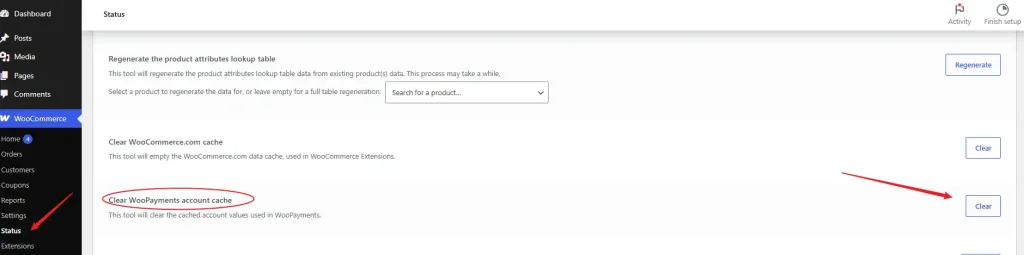
Unfortunately, that didn’t resolve it either.
After spending significant time digging deeper and reviewing server-side behavior and logs, I discovered that the root cause had nothing to do with plugin conflicts, but was entirely due to server-side PHP execution limits.
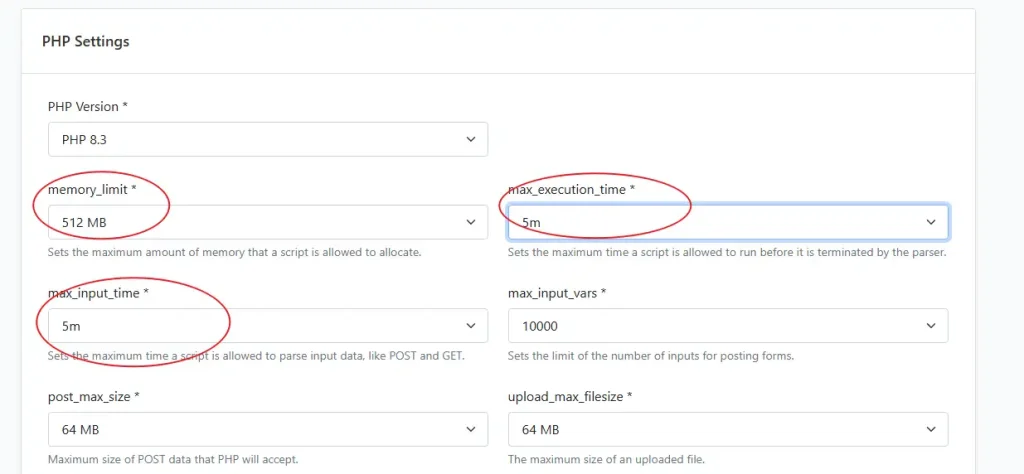
The default CloudPanel environment has relatively low PHP constraints. The default max_execution_time and max_input_time are both set to 1m. After increasing both values to 5m, the issue was completely resolved. The default memory_limit is 512MB, but if you still experience issues, bumping it to 1GB (assuming your server has enough available RAM) will permanently fix the “Oops, something went wrong… error retrieving account tags / disputes” error.
Conclusion
Based on my findings, the issue isn’t tied to multi-currency settings, database caching, Varnish page caching, or network requests. Instead, the PHP request was timing out before completion, which cut off the REST API response. This sent an incomplete JSON payload to WooCommerce Admin, passing undefined to the React component instead of the expected array and throwing the .filter() error. While it looks like a plugin or API bug on the surface, it is actually a server resource limitation under the heavy load of WooCommerce Admin.